IIS7: Eine Windows Forms Anwendung als Web Host
Momentan beschäftige ich mich mit den verschiedenen Features die Windows Server 2008 mit sich bringt. Im IIS 7 realisierte ich eine nette kleine Komponente namens hwebcore.dll. Es handelt sich hierbei um eine Web Core Engine die IIS 7 dem Entwickler zum hosten in eigenen Szenarien zur Verfügung stellt.
Das schöne an dieser Engine ist das fast die gesamte IIS 7 Funktionalität unterstützt wird. Man ist lediglich beim Application Pool auf einen begrenzt. Die Engine ist genauso konfigurierbar wie der IIS7 und kann dementsprechend für die eigenen Hosting Szenarien genau angepasst werden.
Ich wollte mal versuchen das ganze aus einer Windows Forms Anwendung die in C# geschrieben ist zu nutzen. Ich schrieb einfach eine kleine Klassenbibliothek mittels C++/CLI die die eigentliche Funktionalität kapselt.
Hier ein Auszug aus dem Projekt das die Kernkomponente in C++/CLI wiedergibt.
// WebCoreLibrary.h

#pragma once

using namespace System;

namespace WebCoreLibrary {

    public ref class WebCoreEngine
    {
    private:
        // unmanaged definitions
        HINSTANCE                webCoreDll;
        PFN_WEB_CORE_ACTIVATE    webCoreActivate;
        PFN_WEB_CORE_SHUTDOWN    webCoreShutdown;

        // managed definitions
        String^                    configurationFile;

        // private methods
        void InitializeEngine();

    public:
        WebCoreEngine();
        WebCoreEngine( String^ configurationFile );
        property String^ ConfigurationFile { String^ get(); void set( String^ ); }
        void Start();
        void Shutdown();
    };
}
WebCoreLibrary.h
// This is the main DLL file.

#include "stdafx.h"
#include "WebCoreLibrary.h"
#include "WebCoreLibraryException.h"

namespace WebCoreLibrary {

    using namespace System;
    using namespace msclr::interop;

    WebCoreEngine::WebCoreEngine()
    {
        InitializeEngine();
    }

    WebCoreEngine::WebCoreEngine( String^ configurationFile )
    {
        this->configurationFile = configurationFile;
        InitializeEngine();
    }

    String^ WebCoreEngine::ConfigurationFile::get()
    {
        return this->configurationFile;
    }

    void WebCoreEngine::ConfigurationFile::set( String^ value )
    {
        this->configurationFile = value;
    }

    void WebCoreEngine::Start()
    {
        if( String::IsNullOrEmpty( this->configurationFile ) )
        {
            throw gcnew WebCoreLibraryException( L"No configuration file specified!" );
        }

        String^ configFile = this->configurationFile;
        pin_ptr<const wchar_t> configuration = PtrToStringChars( configFile );
        HRESULT hr = webCoreActivate( configuration, L"", L"WebCoreEngine" );
        if( FAILED( hr ) )
        {
            throw gcnew WebCoreLibraryException(
                String::Format( L"Could not start engine: hr = 0x{0:x}", hr ) );
        }
    }

    void WebCoreEngine::Shutdown()
    {
        HRESULT hr = webCoreShutdown( 0L );
        if( FAILED( hr ) )
        {
            throw gcnew WebCoreLibraryException(
                String::Format( L"Could not shutdown engine: hr = 0x{0:x}", hr ) );
        }
    }

    void WebCoreEngine::InitializeEngine()
    {
        DWORD    lastError    = 0;
        HRESULT  hr           = S_OK;

        WCHAR    inetPath     [ MAX_PATH ];
        WCHAR    dllPath      [ MAX_PATH ];
        WCHAR    cfgPath      [ MAX_PATH ];

        webCoreActivate       = NULL;
        webCoreShutdown       = NULL;

        DWORD size = ::ExpandEnvironmentStringsW(
            L"%windir%\\system32\\inetsrv", inetPath, MAX_PATH );
        if( size == 0 )
        {
            throw gcnew WebCoreLibraryException( L"Could not expand environment string" );
        }

        wcscpy_s( dllPath, MAX_PATH - 1, inetPath );
        wcscat_s( dllPath, MAX_PATH - 1, L"\\" );
        wcscat_s( dllPath, MAX_PATH - 1, WEB_CORE_DLL_NAME );

        webCoreDll = ::LoadLibrary( dllPath );

        if( webCoreDll == NULL )
        {
            throw gcnew WebCoreLibraryException( L"Could not load web core dll" );
        }

        webCoreActivate = ( PFN_WEB_CORE_ACTIVATE ) ::GetProcAddress( webCoreDll,
                                                         "WebCoreActivate" );
        if( webCoreActivate == NULL )
        {
            throw gcnew WebCoreLibraryException( L"Could not resolve function WebCoreActivate" );
        }

        webCoreShutdown = ( PFN_WEB_CORE_SHUTDOWN ) ::GetProcAddress( webCoreDll,
                                                         "WebCoreShutdown" );

        if( webCoreShutdown == NULL )
        {
            throw gcnew WebCoreLibraryException(
                            L"Could not resolve function WebCoreShutdown" );
        }
    }
}
WebCoreEngine.cpp
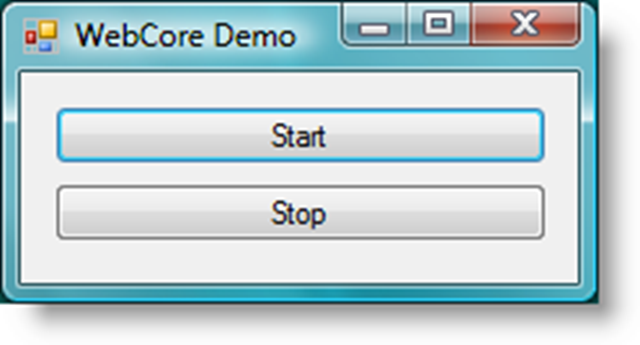
Das ganze kompiliert und aus meiner C# Anwendung referenziert. Hier ein Screenshot meiner intuitiven, genialen, simplen und einfach zu lokalisierenden Anwendung. (Ich weiss ich habe keine Ahnung von Oberflächen Design).
Nachfolgend der Sourcecode der Form der zeigt wie man die Komponente nutzt.
public partial class Form1 : Form
{
    WebCoreLibrary.WebCoreEngine engine = null;
    public Form1()
    {
        InitializeComponent();

    }

    private void button1_Click( object sender, EventArgs e )
    {
        engine = new WebCoreLibrary.WebCoreEngine( @"c:\test\myWebCore.config" );
        engine.Start();
    }

    private void button2_Click( object sender, EventArgs e )
    {
        engine.Shutdown();
        engine = null;
    }
}
Einfach zu nutzen. Wichtig ist es eine gültige Konfigurationsdatei der Engine unterzuschieben. Da habe ich mich selbst verrückt gemacht. Laut Doku habe ich versucht die Config zu erstellen, erfolglos. Also, was macht so ein alter VBler wie ich? (Ja, ich habe auch mal Visual Basic programmiert) Klar, er kopiert eine funktionierende Konfigurationsdatei.
Unter %WINDIR%\system32\inetsrv\config\applicationHost.config findet man die bestehende config vom IIS 7. Diese habe ich ein wenig modifiziert. Die interessante Stelle ist unter dem Element system.applicationHost zu finden. Hier spezifiziere ich wo meine Webanwendung, die ich aus der Windows Forms Anwendung hosten möchte, zu finden ist.
<system.applicationHost>
    <applicationPools>
        <add name="MyAppPool" />
    </applicationPools>
    <listenerAdapters>
        <add name="http" />
    </listenerAdapters>
    <sites>
        <site name="My Web Site" id="12345">
            <application path="/">
                <virtualDirectory
                     path="/"
                     physicalPath="c:\test\wwwroot" />
            </application>
            <bindings>
                <binding protocol="http" bindingInformation="*:8080:" />
            </bindings>
        </site>
        <applicationDefaults applicationPool="MyAppPool" />
        <virtualDirectoryDefaults allowSubDirConfig="true" />
    </sites>
    <webLimits />
</system.applicationHost>
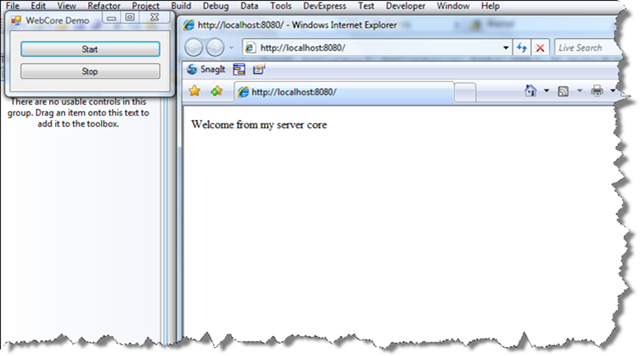
Nach erfolgreichem Start der Anwendung und dem Drücken des "Start" Buttons, startet die WebCoreEngine und ich kann mit dem Browser auf die Test-Webanwendung navigieren.
Das ganze funktioniert natürlich nur mit Betriebssystemen die IIS 7 unterstützen, also ab Windows Vista und auch ab Windows Server 2008.
Noch eine wichtige Anmerkung. Da dies nur Demo Code ist, fehlen auch etliche Fehlerprüfungen und Tests ob das ganze auch in meinem Code stabil genug implementiert ist, nur für den Fall das jemand das produktiv benutzen möchte.
Viel Spaß beim ausprobieren.
Technorati Tags: C#, C++/CLI, IIS7, Windows Vista, Windows Server 2008