IIS7: Using IIS7's Web Core feature in a Windows Forms App
During my investigations in various Windows Server 2008 features I realized that IIS 7 comes with a neat little web core engine which can be rehosted in own applications.
The cool thing is it is completely configurable, it has just own drawback: One application pool. But that is not a real deal as IIS 7 is the primary host for serving amounts of apps. My aim was to reuse the feature in a Windows Forms application.
I started to encapsulate the WebCore functionality in a C++/CLI component which can be reused within my C# application.
Here is the code for the C++/CLI component.
// WebCoreLibrary.h

#pragma once

using namespace System;

namespace WebCoreLibrary {

    public ref class WebCoreEngine
    {
    private:
        // unmanaged definitions
        HINSTANCE                webCoreDll;
        PFN_WEB_CORE_ACTIVATE    webCoreActivate;
        PFN_WEB_CORE_SHUTDOWN    webCoreShutdown;

        // managed definitions
        String^                    configurationFile;

        // private methods
        void InitializeEngine();

    public:
        WebCoreEngine();
        WebCoreEngine( String^ configurationFile );
        property String^ ConfigurationFile { String^ get(); void set( String^ ); }
        void Start();
        void Shutdown();
    };
}
WebCoreLibrary.h
// This is the main DLL file.

#include "stdafx.h"
#include "WebCoreLibrary.h"
#include "WebCoreLibraryException.h"

namespace WebCoreLibrary {

    using namespace System;
    using namespace msclr::interop;

    WebCoreEngine::WebCoreEngine()
    {
        InitializeEngine();
    }

    WebCoreEngine::WebCoreEngine( String^ configurationFile )
    {
        this->configurationFile = configurationFile;
        InitializeEngine();
    }

    String^ WebCoreEngine::ConfigurationFile::get()
    {
        return this->configurationFile;
    }

    void WebCoreEngine::ConfigurationFile::set( String^ value )
    {
        this->configurationFile = value;
    }

    void WebCoreEngine::Start()
    {
        if( String::IsNullOrEmpty( this->configurationFile ) )
        {
            throw gcnew WebCoreLibraryException( L"No configuration file specified!" );
        }

        String^ configFile = this->configurationFile;
        pin_ptr<const wchar_t> configuration = PtrToStringChars( configFile );
        HRESULT hr = webCoreActivate( configuration, L"", L"WebCoreEngine" );
        if( FAILED( hr ) )
        {
            throw gcnew WebCoreLibraryException(
                String::Format( L"Could not start engine: hr = 0x{0:x}", hr ) );
        }
    }

    void WebCoreEngine::Shutdown()
    {
        HRESULT hr = webCoreShutdown( 0L );
        if( FAILED( hr ) )
        {
            throw gcnew WebCoreLibraryException(
                String::Format( L"Could not shutdown engine: hr = 0x{0:x}", hr ) );
        }
    }

    void WebCoreEngine::InitializeEngine()
    {
        DWORD    lastError    = 0;
        HRESULT  hr           = S_OK;

        WCHAR    inetPath     [ MAX_PATH ];
        WCHAR    dllPath      [ MAX_PATH ];
        WCHAR    cfgPath      [ MAX_PATH ];

        webCoreActivate       = NULL;
        webCoreShutdown       = NULL;

        DWORD size = ::ExpandEnvironmentStringsW(
            L"%windir%\\system32\\inetsrv", inetPath, MAX_PATH );
        if( size == 0 )
        {
            throw gcnew WebCoreLibraryException( L"Could not expand environment string" );
        }

        wcscpy_s( dllPath, MAX_PATH - 1, inetPath );
        wcscat_s( dllPath, MAX_PATH - 1, L"\\" );
        wcscat_s( dllPath, MAX_PATH - 1, WEB_CORE_DLL_NAME );

        webCoreDll = ::LoadLibrary( dllPath );

        if( webCoreDll == NULL )
        {
            throw gcnew WebCoreLibraryException( L"Could not load web core dll" );
        }

        webCoreActivate = ( PFN_WEB_CORE_ACTIVATE ) ::GetProcAddress( webCoreDll,
                                                         "WebCoreActivate" );
        if( webCoreActivate == NULL )
        {
            throw gcnew WebCoreLibraryException( L"Could not resolve function WebCoreActivate" );
        }

        webCoreShutdown = ( PFN_WEB_CORE_SHUTDOWN ) ::GetProcAddress( webCoreDll,
                                                         "WebCoreShutdown" );

        if( webCoreShutdown == NULL )
        {
            throw gcnew WebCoreLibraryException(
                            L"Could not resolve function WebCoreShutdown" );
        }
    }
}
WebCoreEngine.cpp
This is the core functionality in the library assembly. Next I referenced that within my C# Windows Forms application. Here is a screenshot of the demo app.
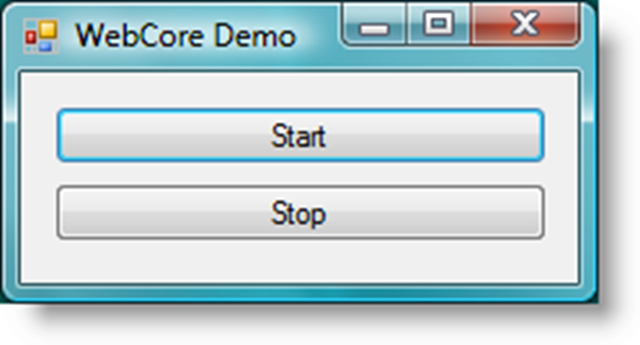
Wow what a sophisticated interface. Anyway it has the important functions on the form. Here is the source of that form.
public partial class Form1 : Form
{
    WebCoreLibrary.WebCoreEngine engine = null;
    public Form1()
    {
        InitializeComponent();

    }

    private void button1_Click( object sender, EventArgs e )
    {
        engine = new WebCoreLibrary.WebCoreEngine( @"c:\test\myWebCore.config" );
        engine.Start();
    }

    private void button2_Click( object sender, EventArgs e )
    {
        engine.Shutdown();
        engine = null;
    }
}
As you see it is really simple to start and stop the engine. The only thing which is really important is to provide a valid configuration file. This was one of my obstacles I came across when trying to host the engine my first time.
I did a really simple thing. I copied the original one you can find in %WINDIR%\system32\inetsrv\config\applicationHost.config and modified the applicationPools and sites nodes.
Here is the declaration of the system.applicationHost element within myWebCore.config which I use for this demo.
<system.applicationHost>
    <applicationPools>
        <add name="MyAppPool" />
    </applicationPools>
    <listenerAdapters>
        <add name="http" />
    </listenerAdapters>
    <sites>
        <site name="My Web Site" id="12345">
            <application path="/">
                <virtualDirectory
                     path="/"
                     physicalPath="c:\test\wwwroot" />
            </application>
            <bindings>
                <binding protocol="http" bindingInformation="*:8080:" />
            </bindings>
        </site>
        <applicationDefaults applicationPool="MyAppPool" />
        <virtualDirectoryDefaults allowSubDirConfig="true" />
    </sites>
    <webLimits />
</system.applicationHost>
If the web engine is started through the smart client app I can navigate with my browser to the URL and see my hosted application there.
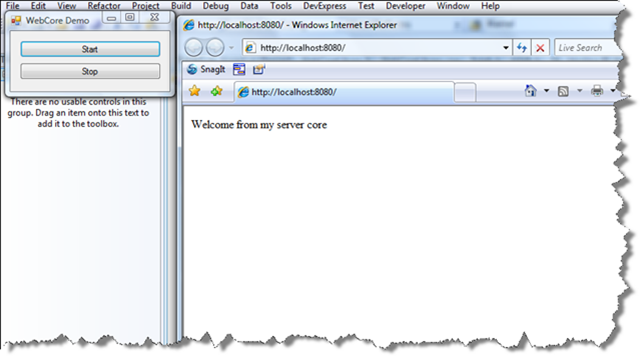
Now you have a way to host the IIS 7 web core engine in own hosts, in that case a smart client app. One important thing to mention, it requires at least Windows Vista or Windows Server 2008 as IIS 7 is only available on those operating systems.
Have fun!
Technorati Tags: C#, C++/CLI, IIS7, Windows Vista, Windows Server 2008